Using Sleeklens actions on landscape photography
I spend a considerable amount of time in Adobe Photoshop. That's where I can turn my capture into pure art, highlighting what makes the image important to me. Oftentimes it's merely cropping to draw the viewer's eye where I want it. I may feel the image needs a bit more pop of color, a bit of detail in the shadows. I don't always get perfect light and my camera sensor does not see the scene as I do. So, I use Photoshop to help share what I really see. I don't typically use actions a lot, but I have some I use regularly, mostly to speed up portrait work. Instead, my normal process is to go through the scene step-by-step, painstakingly pulling out what I want. I was curious though, when Sleeklens approached me about reviewing their Landscape Adventures action set. I decided to really put their actions to the test and see what they could do. Mind you, I'm not easily impressed because I know how quickly I can do what I do in Photoshop and how easily I can fine tune the results. I started out with a few drab images that just didn't measure up to what my eye saw at the time. The following images were processed using ONLY Sleeklens Landscape Adventures actions (not including cropping within Photoshop). After I processed a few, I couldn't stop.
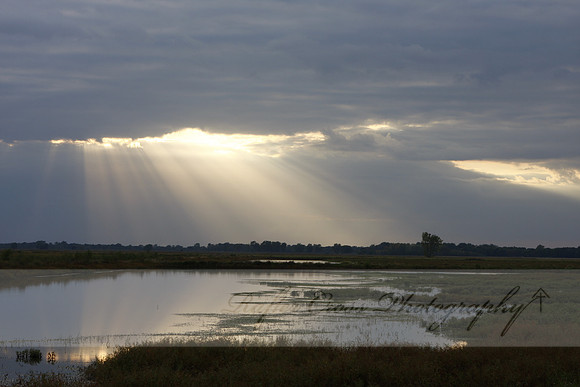
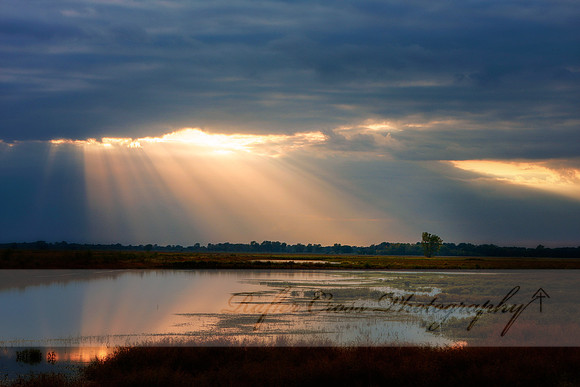
This shot grabbed at Squaw Creek National Wildlife Refuge, taken on a dreary day when the sun peeked through, had potential but needed help.
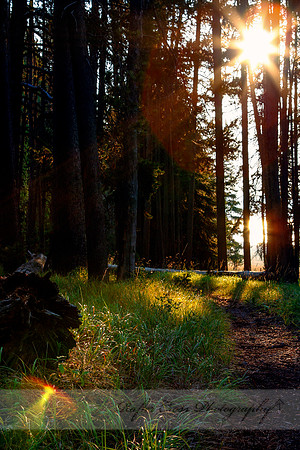
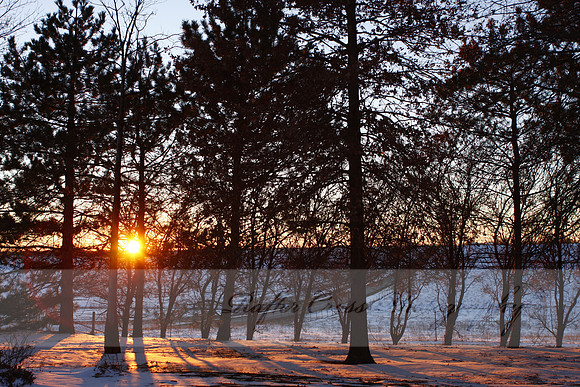
I will point out here, that you do need some knowledge of masking and layers to work with actions. Even with my experience, it took me a bit to sort out what these actions did, how to best layer them, when to flatten the image, etc. I may have gone a little overboard with this one, but it desperately needed contrast and color. I actually ran two BASE actions: Dramatic Contrast and Autumn Color. I didn't write down the opacity on the Autumn Colors, but I know that it was turned down. After that I still ran a TONE Color Pop which seems to help with contrast in the dull colors. BUT..... I found this little gem (not for just any image) and when I ran it here I really liked it: SPECIALTY Dark Dreams. It is what the landscape was looking for: the clouds, the pools, the end of the season, the importance of the water- emphasis and mood where I wanted it. I'm well known for sunrise/sunset images. If you've shot these kind, you know a single shot really limits dynamic range. This is an image I can find no record of ever processing. I imagine I passed it by because I felt I couldn't bring out enough detail in the shadows to make me happy. It didn't pop and is also extremely warm.
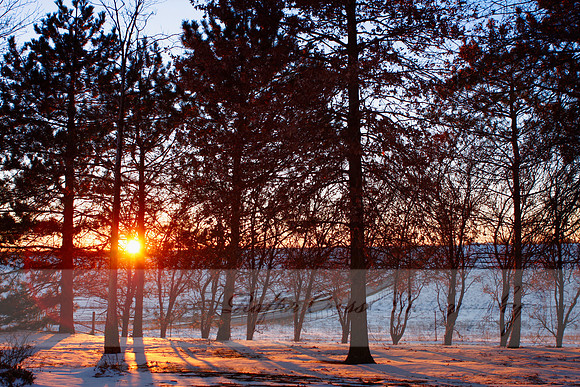
This is where I thought the Sleeklens actions started to shine for me. I started out with BASE Clarity. Then to counter the overall warmth, I used TONE This is cool, masking out the sun rays to keep them warm and popping. This was, literally, a very simple quick turn around of an image. And, as a bonus, almost all of the actions create their own group folder layers. If something didn't quite do what I expected, or after fine tuning the layer I wasn't happy.... a quick delete of the layer and it was gone. It also allows me to turn the effect on and off to view the changes. Each action also has minor built in instructions to remind you to select base layers, change opacity, paint a mask, etc.
Some of my new favorite things: ENHANCE Sky Enhancer and ENHANCE Dramatic Sky.... ooooo.... you know, I love a good sky!!
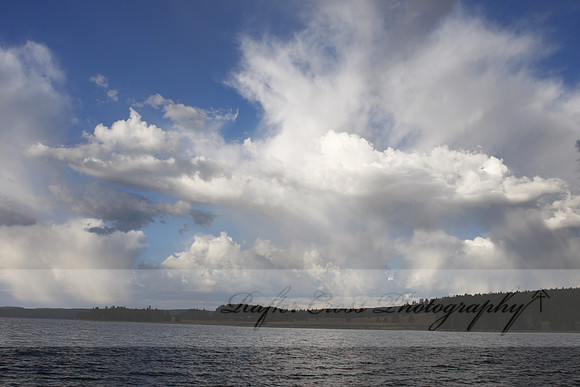
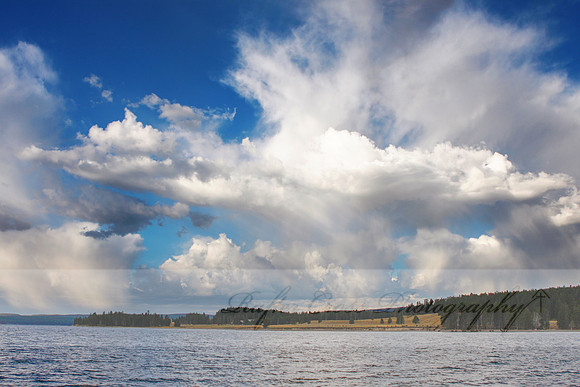
Dramatic sky, right? Here's another image I found from Yellowstone National Park that I have no record of processing. It needs some help. Without the Sleeklens actions it would have taken me some time. I stepped through it like this: EXPOSURE Brighten Shadows, selecting only the land; ENHANCE Sky Enhancer, obviously a sky selection; flatten layers and add TONE Color Pop for the ground- very low opacity so as not to be overdone. Oh, and a slight bit of straightening within Photoshop crop tool.
Fairly radical change? The Sleeklens actions did it all. I used basic knowledge of layers and masking in Photoshop and..... voila! I'll admit there were a few actions in there I felt like I might not ever use. So, I challenged myself a bit.
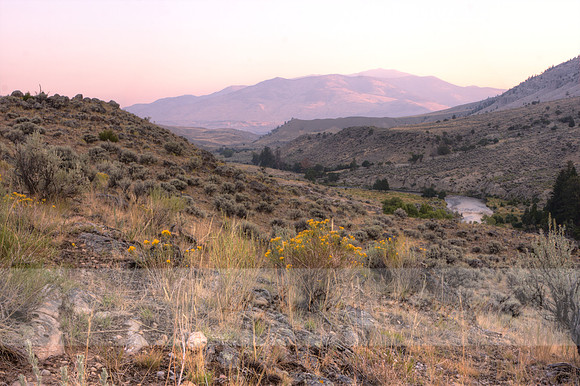
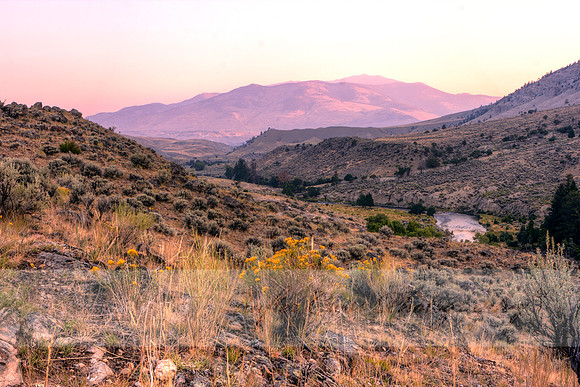
Here is the HDR image based on 3 exposures taken just before sunrise in Yellowstone National Park. It needs some contrast/clarity, so I hit it with BASE Clarity, but then I threw ALL IN ONE Cinematic at it.
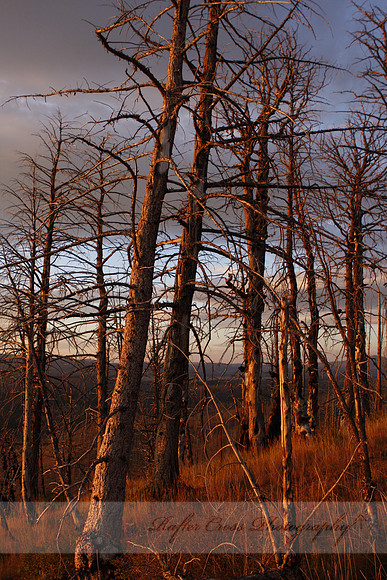
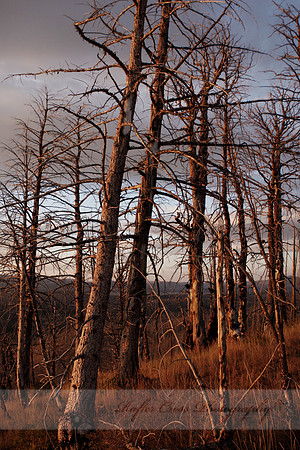
Honestly, I was a bit shocked it worked so well. I used the ALL IN ONE Cinematic action on a few other images just to feel it out and I could see it being very useful in certain types of marketing images. I've seen cinematic film type actions in the past that just didn't work for me. This is the best one I've seen. I'm a big color fan, so I rarely reduce colors or go black and white. This is an image I shot while waiting for the sun to set in Yellowstone. The dead and fire scarred trees intrigued me, so I shot an image to try to show the aftermath and death of a forest fire. I selected it to run through Sleeklens' two black and white actions.
Although the black and white actions produced some dramatic results, what I settled on for this image was a little different.
I used TONE Less Color and it stuck, left the morbid feeling I was looking for. I also used EXPOSURE Brighten with a mask to brighten the trees slightly and keep the dry grass darker. Here's a nice image that stands pretty well on its own.
However, with the Sleeklens actions.....
I get a nice enhancement. Again, it was quick, easy, painless and well worth it. I used BASE Basic, EXPOSURE Brightness, TONE Sunset Colors, ENHANCE Deep Blue Sky (the sky change is subtle, but it's there. I like contrasting warm and cool colors in a sunset). And to just show how much I LOVE ENHANCE Dramatic Sky.......
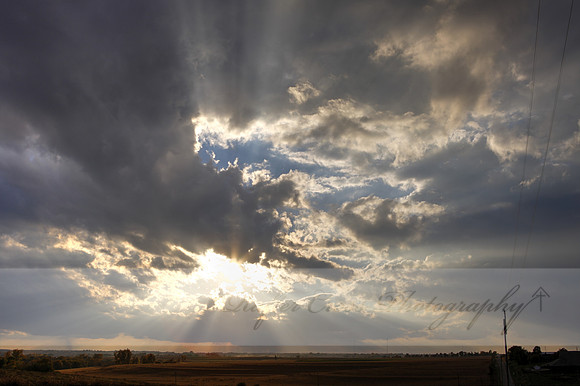
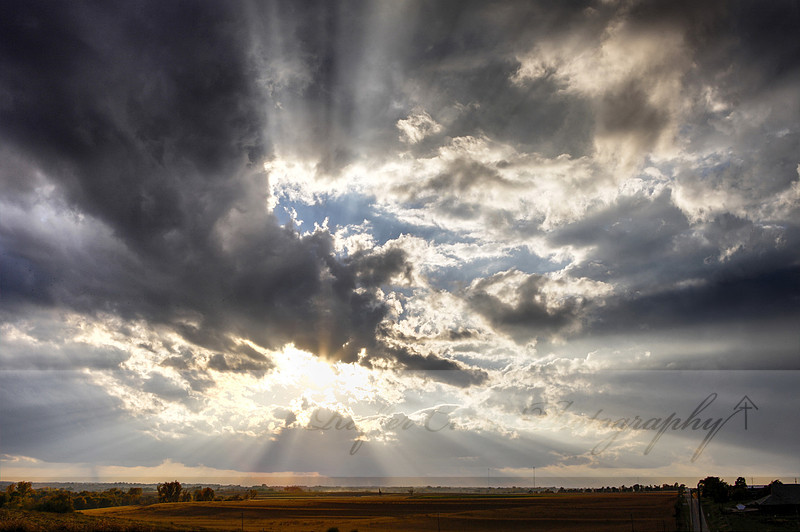
This is a tone mapped combination of 3 exposures, striking, but needs more pizzazz.
BASE Standard, masked for the ground selection; ENHANCE Dramatic Sky- of course selecting sky, but minus the hot spot of the sun. It was so simple. There is still a lot to explore in these 56 actions and this is just the tip of the iceberg. There are other sets that have piqued my interest after handling these. I'm sometimes lethargic in my workflow, but I really felt like these actions energized my process and gave me some good solid choices to work with. My past photography students who enjoy landscape photography could certainly benefit from the ease of processing these actions provide. Well done Sleeklens on a very nice product. Check out Sleeklens at sleeklens.com and for more information on the Landscape Adventure actions, visit https://sleeklens.com/product/landscape-adventure-photoshop-actions/.
Keywords:
landscape,
nature,
photography,
rafter cross,
sleeklens,
Squaw Creek National Wildlife Refuge,
Yellowstone National Park
|